Intake queue
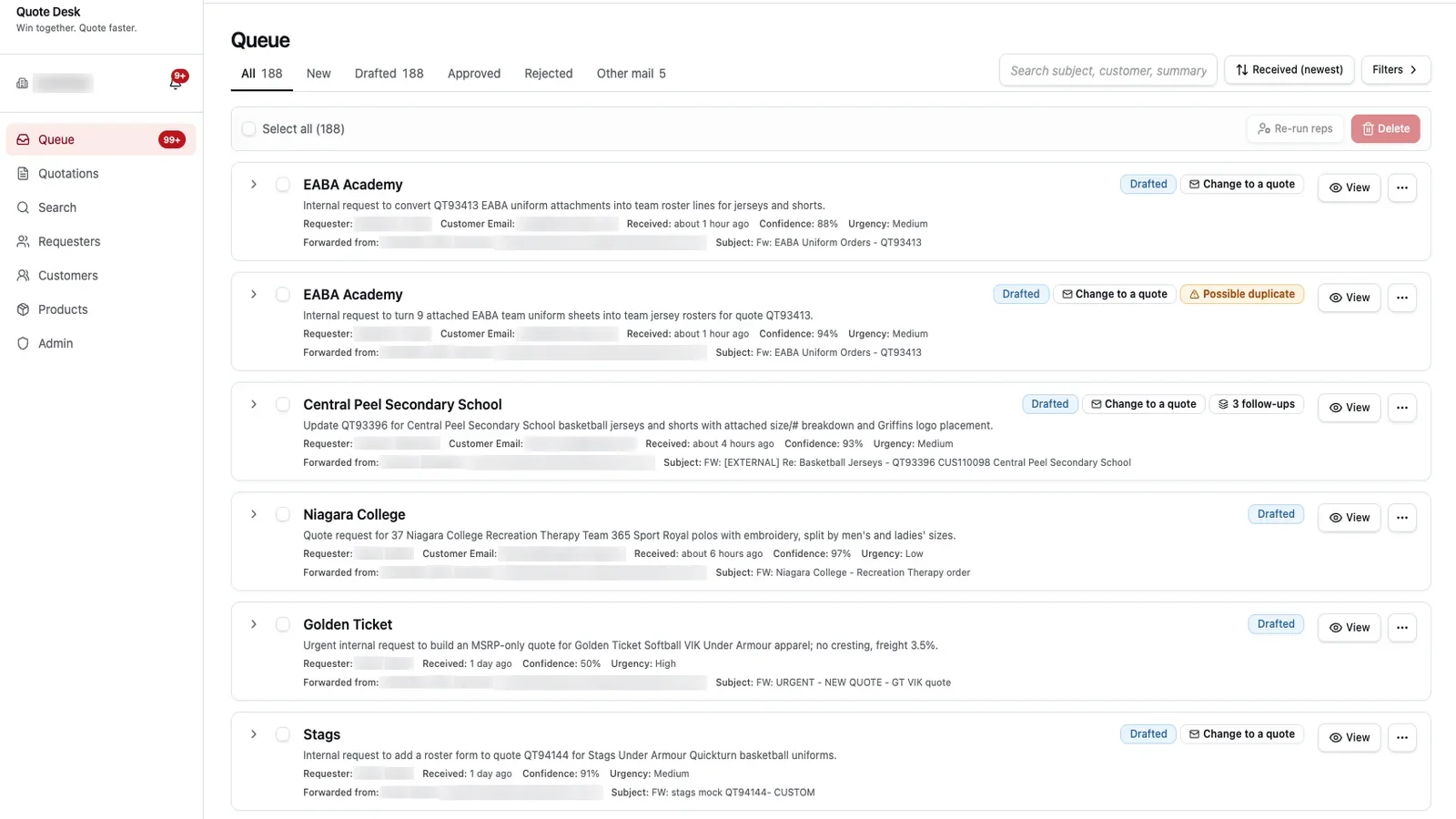
Every forwarded email as a card: summary, requester, customer, confidence, urgency and status, searchable and filterable.
A team apparel business receives hundreds of quote requests by email, with rosters, spreadsheets and artwork attached. We built a platform that reads each forwarded email, works out who is asking and for which customer, extracts the line items, names and numbers and artwork placements, and drafts the quote for a person to check and approve.
Every request arrived as a forwarded email with attachments, and someone had to read it, find the customer, look up the previous order, re-type sizes and rosters, and build the quote by hand. Requests were missed, duplicated or answered days late, and nobody could see the backlog.
Every forwarded email as a card: summary, requester, customer, confidence, urgency and status, searchable and filterable.
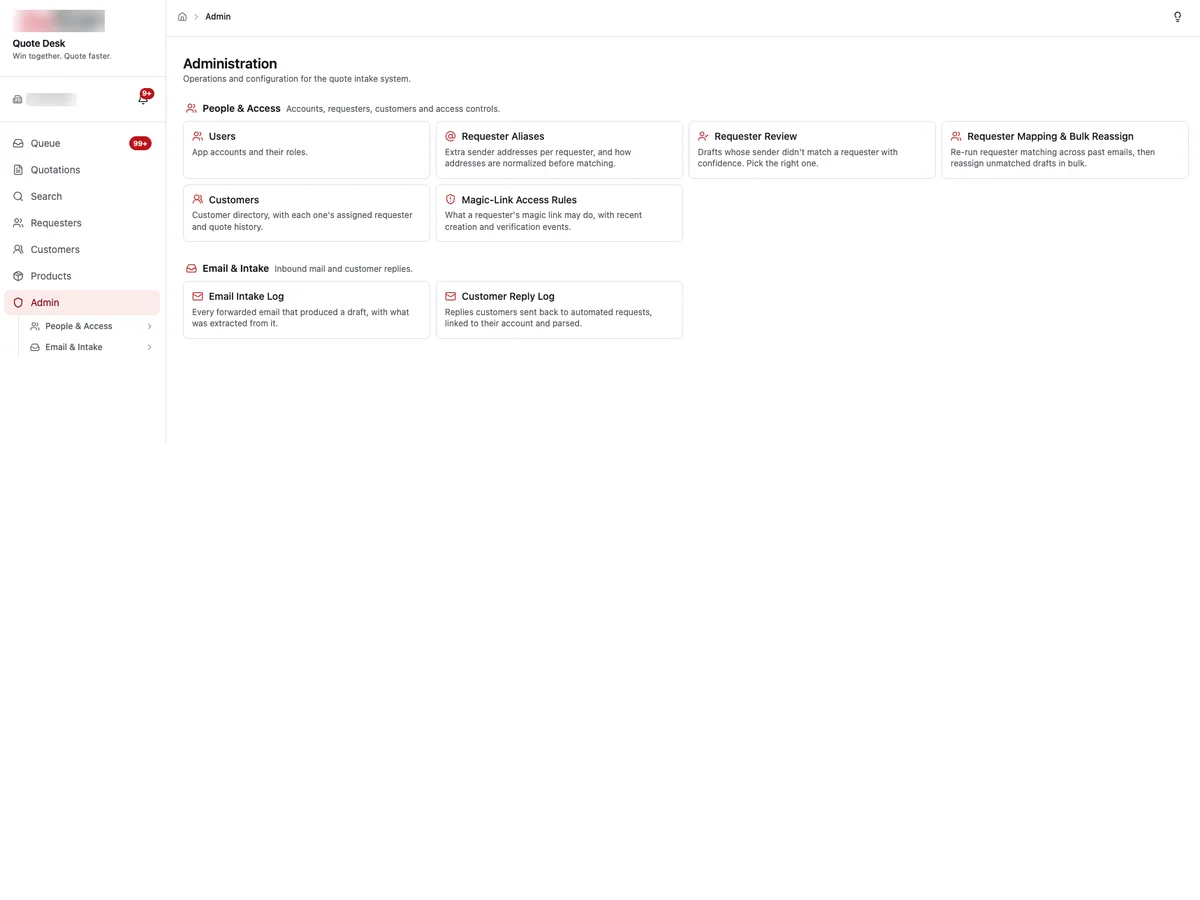
Senders are matched to known requesters and customers, with aliases, review for low-confidence matches and bulk reassignment.
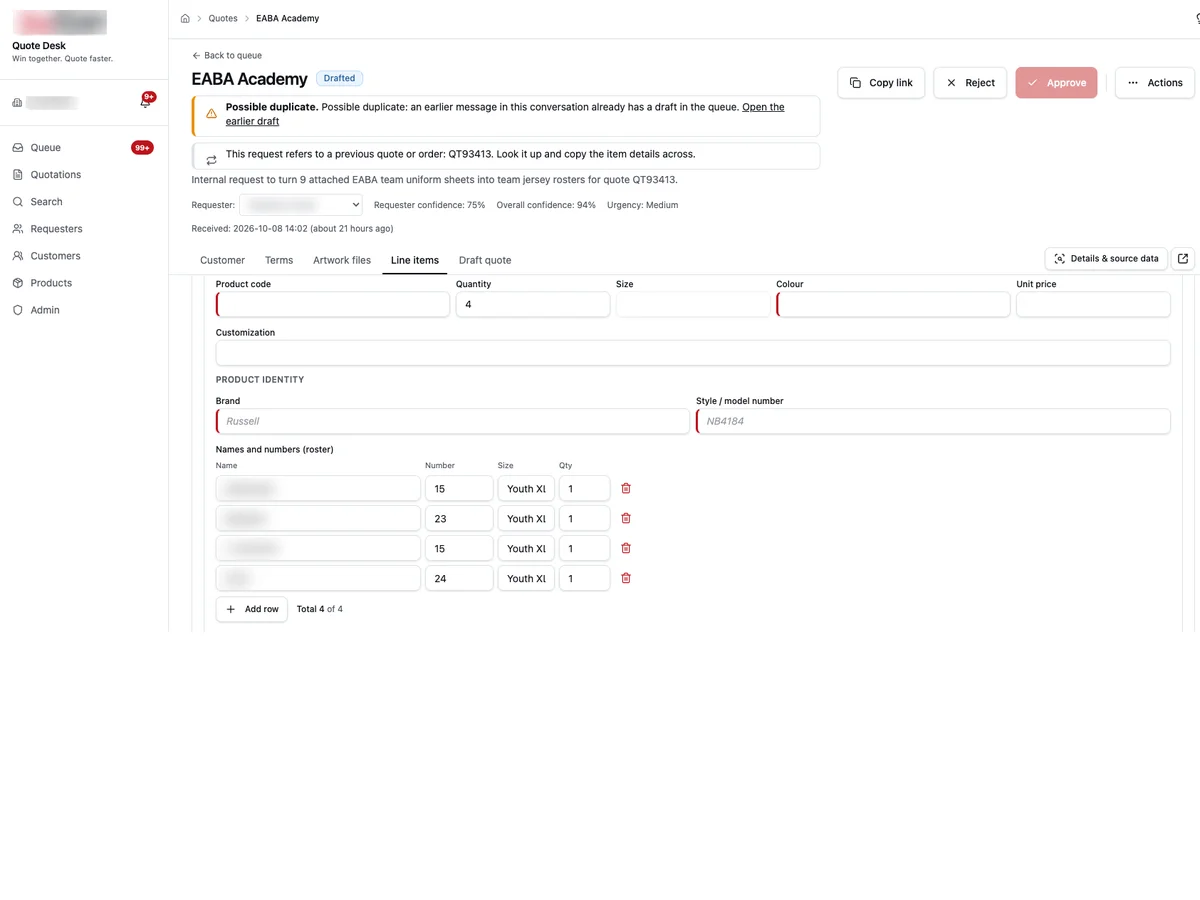
Product codes, quantities, sizes, colours, brand and style, plus names-and-numbers rosters read from attached sheets.
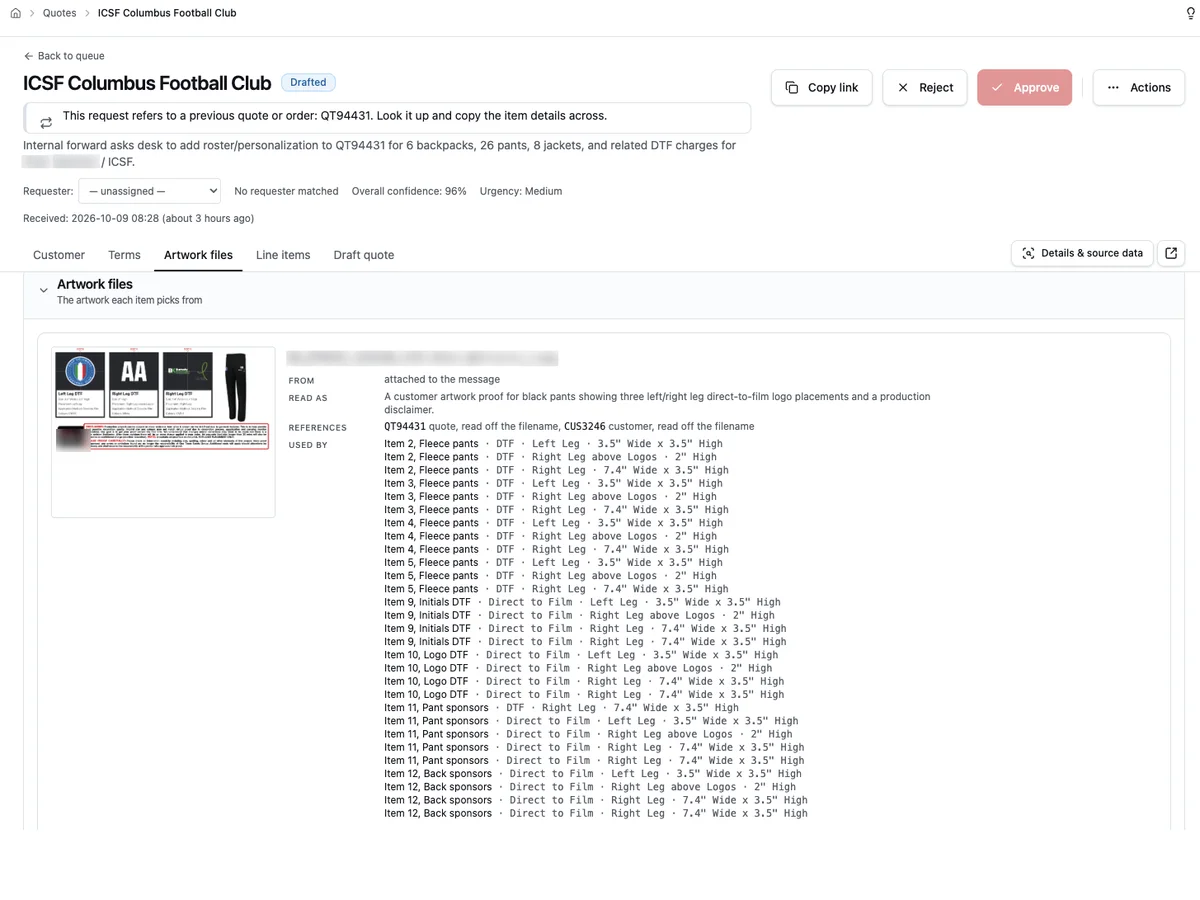
Each attachment is described, linked to the quote and customer it references, and mapped to the items and placements that use it.
Earlier messages in the same thread and references to previous quotes or orders are flagged so details are copied, not re-keyed.
Nothing goes to a customer until a person approves the draft. Every intake and every customer reply is logged.
Built around the tools the team already used, not in place of them.
We build each one around the business using it. It's a good fit if…
No. It drafts them. A person reviews each draft, edits anything that's wrong and approves it before it goes anywhere.
It says so. Low-confidence requester matches go to a review screen where staff pick the right person, and aliases are learned for next time.
Yes. Names, numbers and sizes are read from attached sheets into the line item, and artwork files are mapped to the items and placements that use them.
It's built to sit in front of one. Approved drafts are handed to the quoting and order tools the business already runs.

Buyers explore every room of their future home, choose appliances, finishes and paint colours, and lock in their selections, while the developer runs sales and selections from one CRM.
Read more
Ask a question in plain English and get an answer with sources, drawn from thousands of emails, files and property records the company already has.
Read more
Automated reporting, package assembly and verification: month-end reports and owner packages built from your accounting data and documents, checked before anyone sends them.
Read more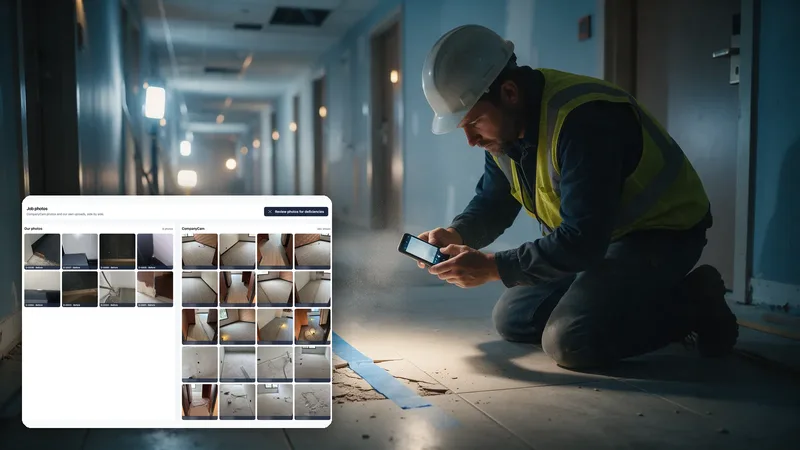
Field technicians report deficiencies to the office from their phones, the office notifies the customer, and every item is tracked to close. Synced with CompanyCam.
Read moreTell us what slows your team down. We'll show you a working version on your own data.